What's new?

pensiv updates and improvements.

December 6, 2025

v1.0.2 - desktop
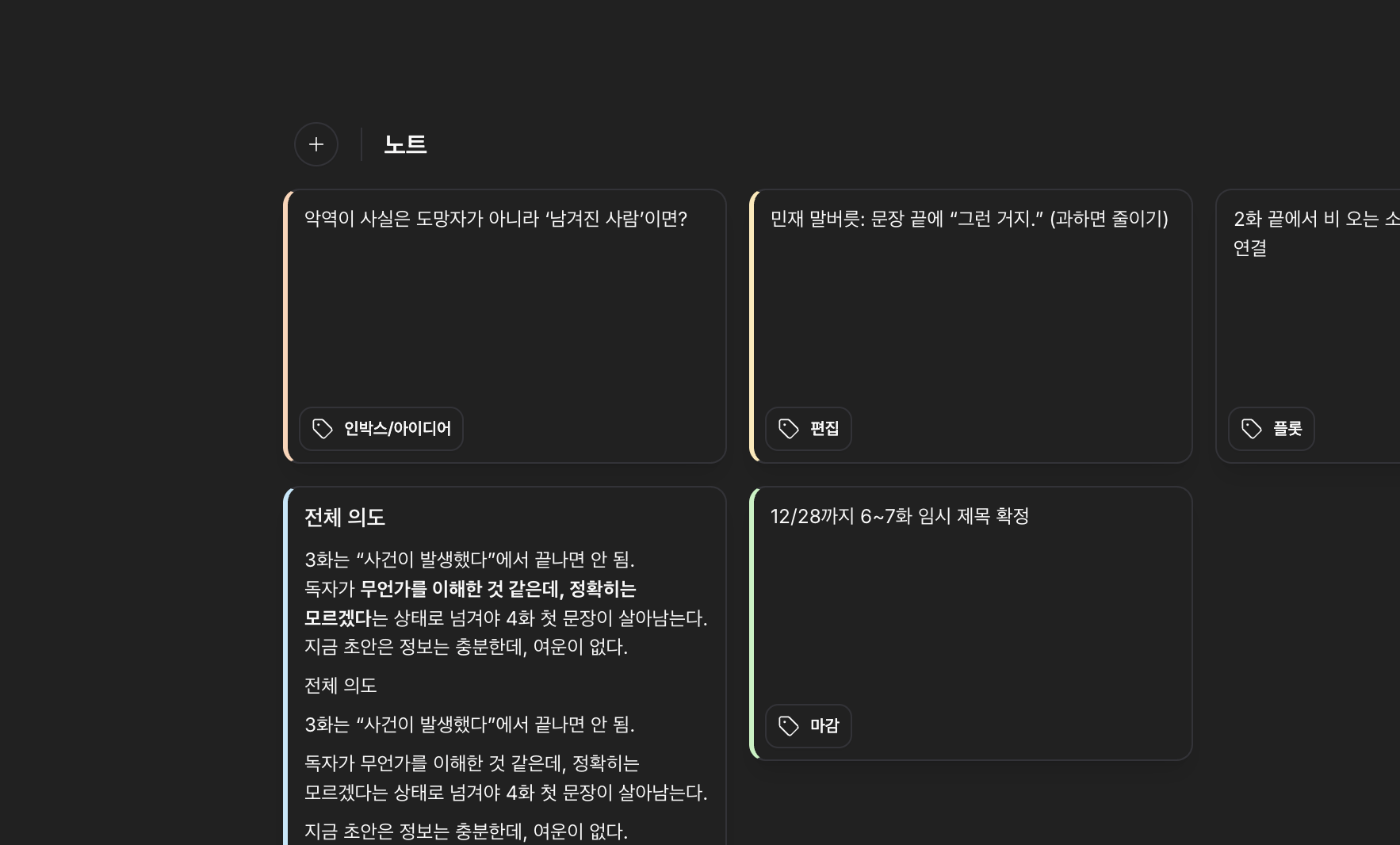
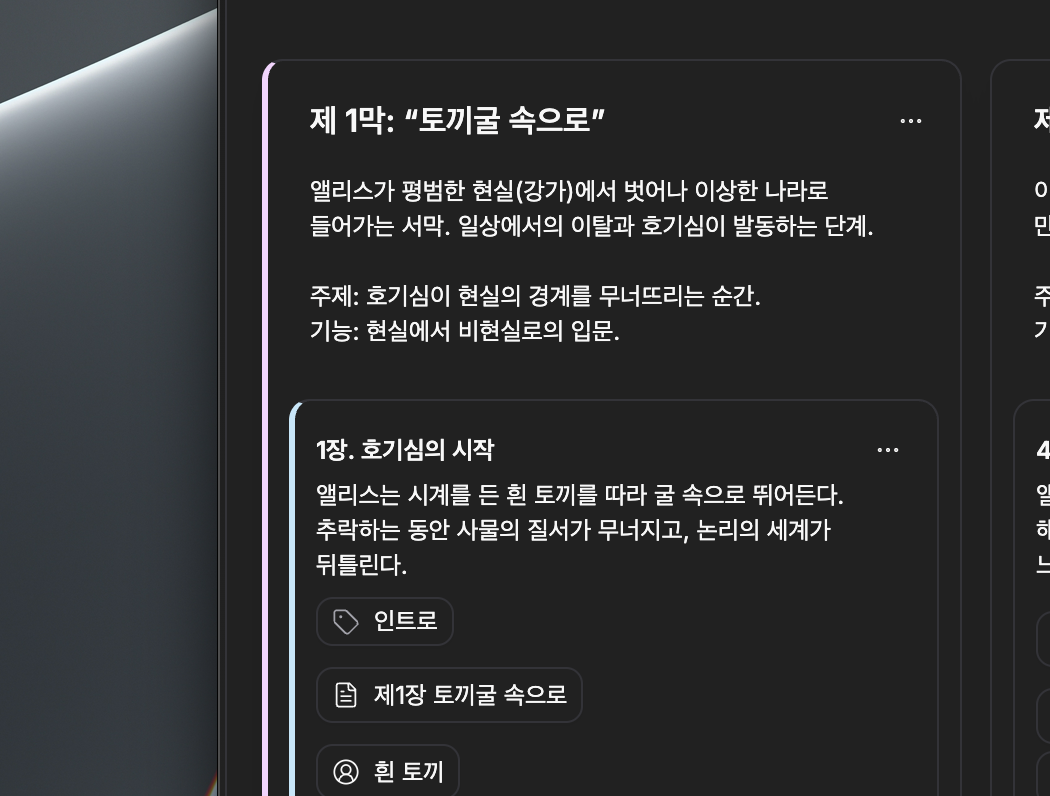
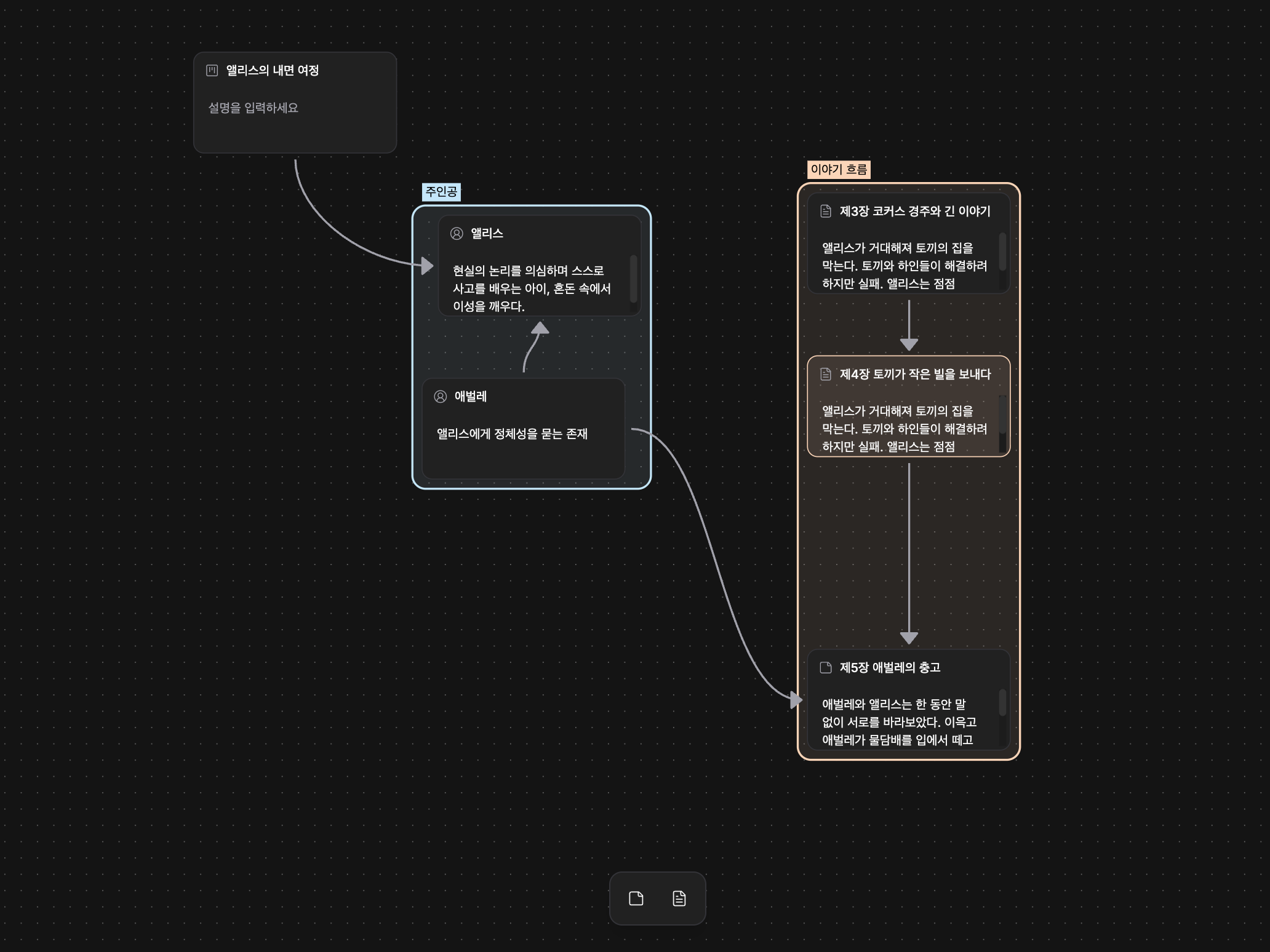
Plot Card Color

Plot Card Color

This update introduces color and tag features to make plot management more intuitive and visually distinguishable, while refining the overall sync experience to improve stability and progress visibility. We've also applied various visual improvements to enhance the explorability and readability of the relationship graph.

  • Color selection has been added to plot cards and part cards, allowing you to visually distinguish and personalize cards.
  • Tags can be added to plot cards for categorization and search, making it easier to quickly find and organize related items.
  • Plot board creation now immediately reflects results for better responsiveness, and if issues occur, it restores to the original state for stable handling.
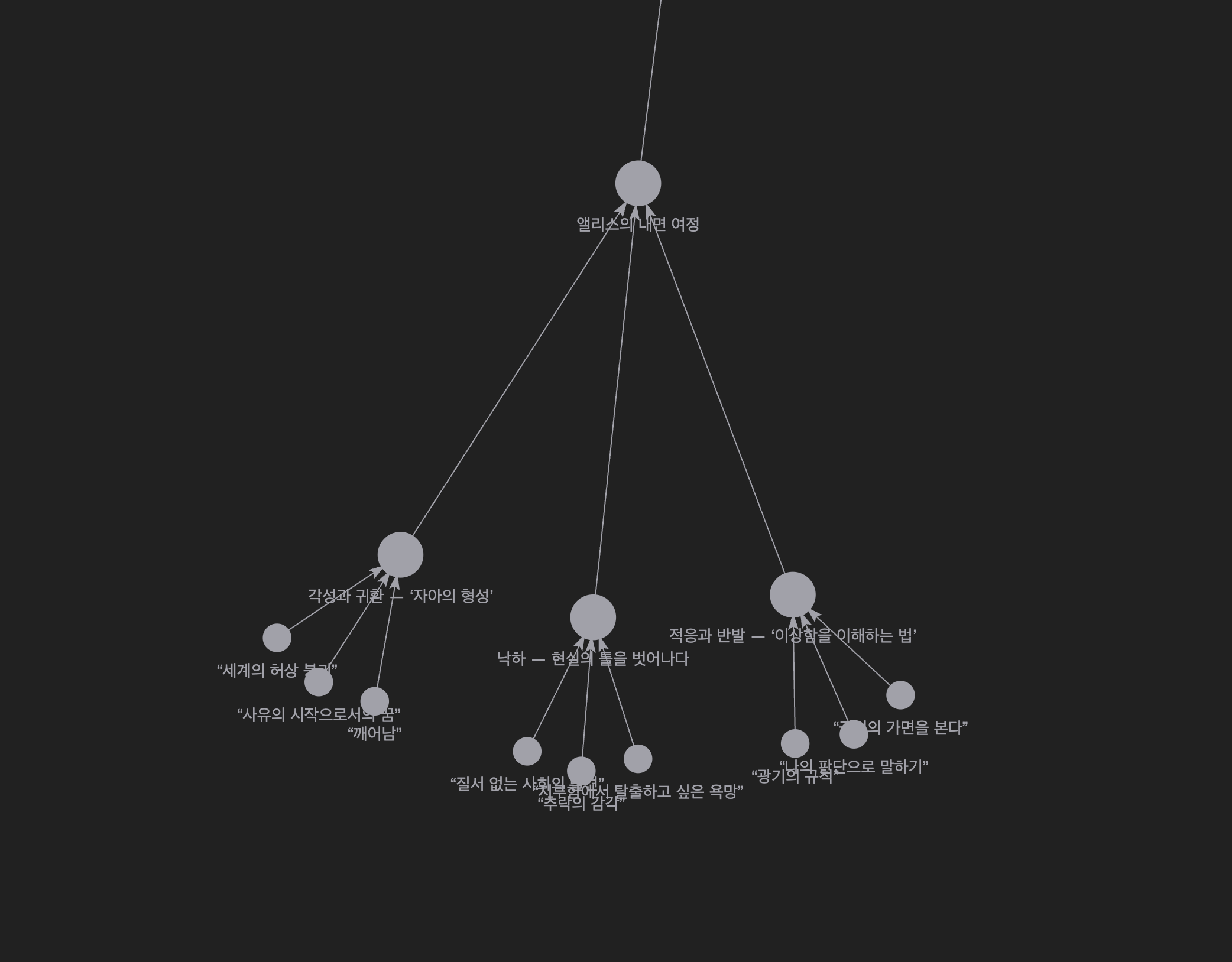
  • Mouse wheel zoom in/out functionality has been added to the relationship graph, making it more convenient to explore complex connections.

  • Tag editing and display have been refined to work more naturally, reducing unnecessary error notifications when adding/removing tags.
  • Tags can now be utilized in search and filters, making related item exploration more accurate.
  • Graph node label visibility and opacity transitions have been smoothly adjusted, so labels no longer flicker suddenly when zooming in/out.
  • Edge (relationship line) styles and interactions have been improved, with tooltip and toolbar positions displaying more consistently when hovering/selecting.
  • Sync status display and progress information have been clarified, making it easier to check background sync situations.
  • Plot part description text now handles line breaks better, improving readability and editing convenience.

  • Newly introduced colors and tags are not automatically applied to existing boards or cards. Please set them manually if needed.

December 5, 2025

1.0.2 - desktop
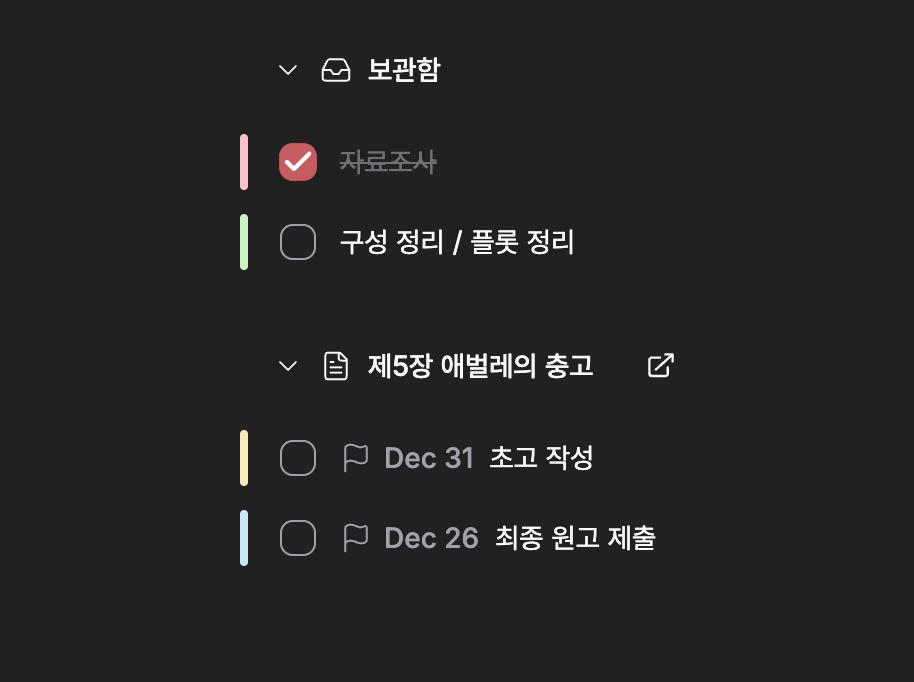
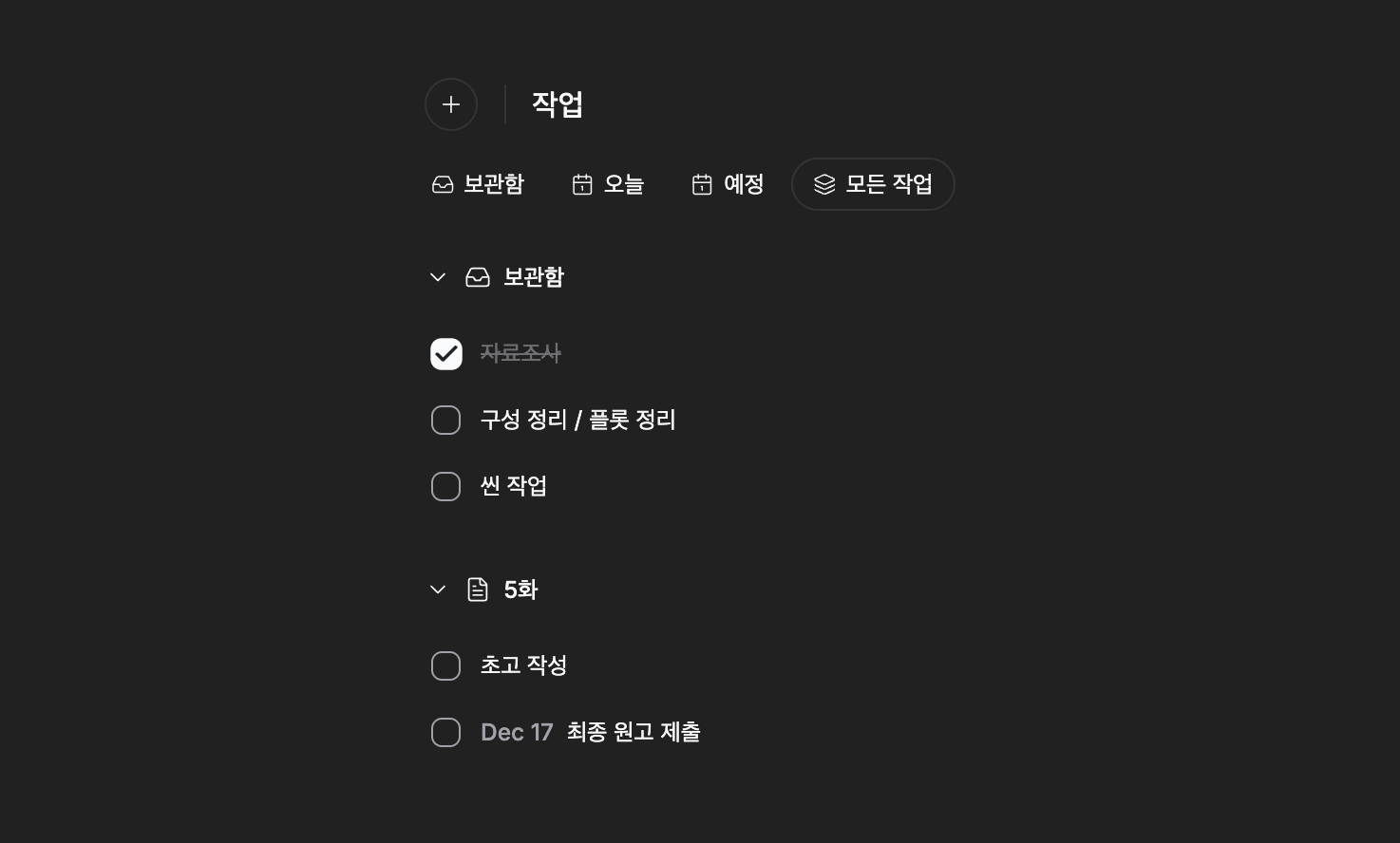
Task Management Feature Added

Task Management Feature Added

We've introduced a task management workflow that allows you to create individual tasks within projects, organize them in lists, and open them in detail pages for review. You can reorder tasks by dragging, and adjust priorities faster with filters and batch operations.

The task creation and editing process has been improved to be more intuitive and responsive, and Korean text and date input/display have been refined to be more natural.

  • Added basic workflow for creating tasks, viewing lists, and navigating directly to detail pages ("Open Task").
  • Tasks in lists can be reordered via drag and drop.
  • Improved date handling integrated with calendar/date input for more accurate scheduling.
  • Updated Korean text and localized search/result messages.

  • Tasks are immediately displayed in the list upon creation, allowing you to move on to the next task without waiting.
  • Task lists automatically sync when opening projects to maintain the latest state.
  • Tasks are preserved during delete/restore processes, reducing concerns about unintended data loss.
  • Enhanced filter options and search results make it faster to find desired tasks.
  • Improved visual feedback for task items (fade-out, strikethrough, dividers, etc.) and layout consistency.
  • Refined input flow and submit behavior in the task creation dialog for smoother interaction.
  • Improved drag collision detection and visual representation of drag overlays to increase manipulation reliability.
  • Task-related user preferences are persisted, maintaining a personalized task viewing experience.

  • After the update, task-related UI behavior and filter settings may differ slightly, so we recommend checking them once in the projects you're using.

December 1, 2025

1.0.2 - desktop

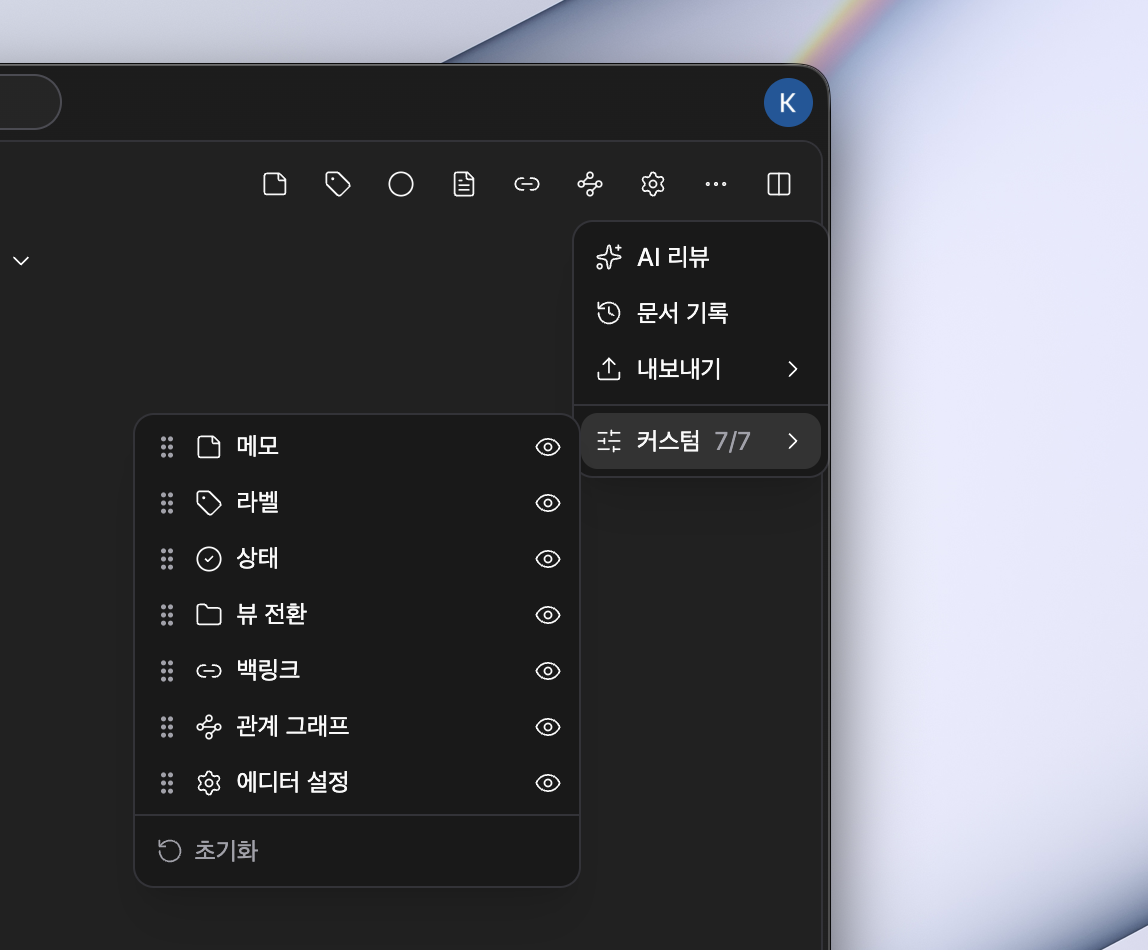
Header Customization

Header Customization

Header Customization

This update focuses on changes to personalize the user interface and make canvas work faster and more convenient. You can organize headers and toolbars directly to place frequently used tools right in front of you, and on the canvas, copy and paste along with the right toolbar make the workflow more natural.

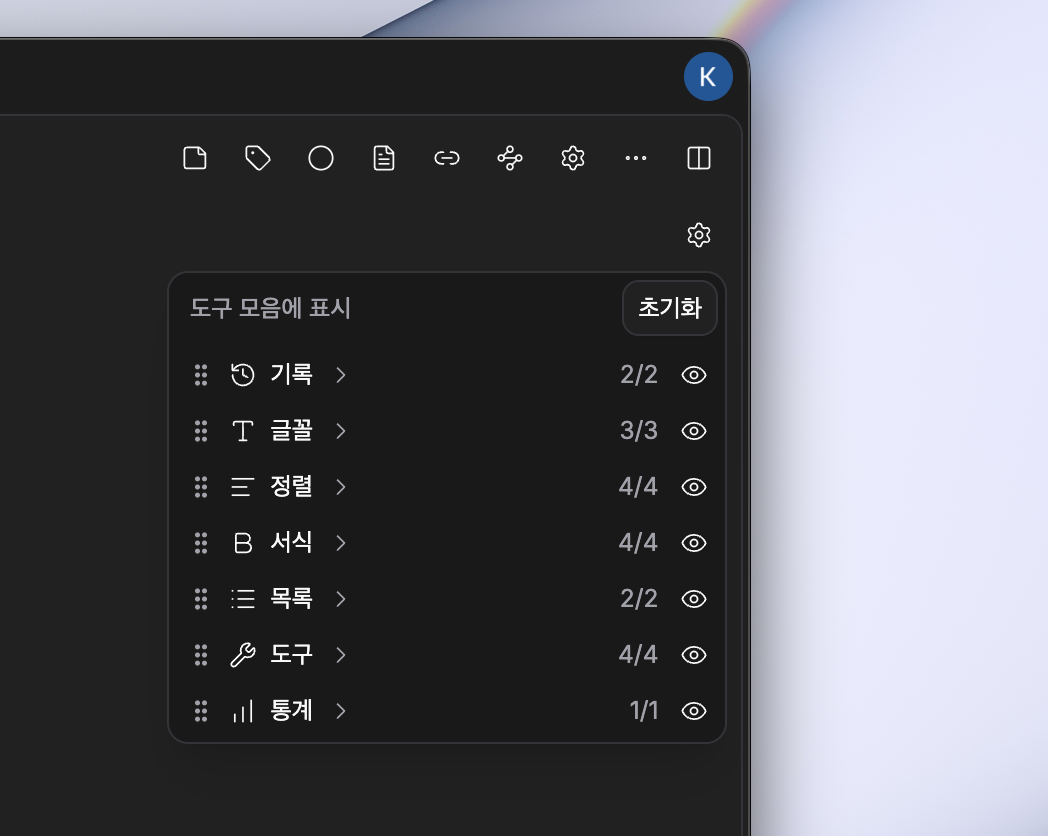
Typography Customization

Typography Customization

Typography Customization

We've also added the ability to customize typography. You can show only the features you need and hide unnecessary ones.

  • Header customization: For each file type (document, character, plotboard, folder, canvas, etc.), you can rearrange header items via drag and drop and choose whether to show or hide them.
  • Toolbar customization: You can directly edit toolbar items and rearrange groups to prioritize frequently used tools.
  • Enhanced canvas functionality: Added a right toolbar for quick access to frequently used actions like zoom, undo/redo, and supports copying (Cmd/Ctrl+C) and pasting (Cmd/Ctrl+V) selected items on the canvas.

  • Relationship graph node placement now appears more balanced. Complex connections are also better organized and easier to view.
  • Dropdown and tooltip behavior has been improved, reducing visual confusion related to menu open states.
  • Icon organization: Added and integrated key icons like undo/redo, improving interface consistency.
  • Menu handling and accessibility for project items and tree representation have been improved, making menus display more reliably.
  • Localization expansion: English and Korean strings have been enhanced, making new feature guidance and settings clearer.

  • Copy and paste shortcuts only work in the active panel. If you're using another panel, the intended action may not execute.
  • Some header items and controls have been moved to the right toolbar for layout improvements, so please check and adjust their positions through personal settings.

November 30, 2025

1.0.2 - desktop
Canvas

Canvas

In this update, we focused on improving the workspace with a flexible canvas and stronger backup security. You can create a canvas just like any other file and use it directly within your projects. It naturally supports everyday workflows like grouping, duplicating, and undoing actions. Backups can now be stored in encrypted form, so you can keep your data safe with more peace of mind.

  • Canvas (visual workspace): Inspired by Obsidian’s canvas, we now provide a canvas where you can place nodes, group them, and create duplicates. You can create a new canvas as easily as creating a new file inside a project.
  • Group/ungroup buttons: You can create and release groups from the selection toolbar, making it easier to manage complex structures.
  • Duplication: When duplicating a canvas, hierarchical cascading duplication is supported, making it convenient to create templates and manage different branches of your work.
  • Encrypted backups: You can encrypt backups when saving them, and import/export encrypted backups. (You’ll need the password when restoring.)

  • Editing flow stability: Undo/redo has been added so you can easily revert mistakes. Changes in selection state alone are no longer recorded, keeping your history cleaner.
  • Focus improvements: In split-view mode, the active panel now keeps focus more consistently, so drag and click operations stay in the area you intended.
  • Node labels and color handling: Restores group labels more reliably, improves handling of empty inputs, and refines background color behavior for better visual consistency.
  • File relationship cleanup: When a file is deleted, related nodes on the canvas are automatically cleaned up so your data doesn’t become fragmented.
  • File edit synchronization: Edits to file titles and descriptions are now better synchronized with the actual file data, reducing confusion.
  • Interface & usability tweaks: Localized search placeholder text, adjusted sidebar spacing, smoothed the height animation of file picker dialogs, and refined back/forward navigation shortcuts for better everyday usability.
  • Changelog display behavior: Changelogs are now shown only when the version changes, reducing unnecessary pop-ups.

  • Encrypted backups require the password (decryption key) when restoring. If you lose the key, restoration may be impossible, so please store it safely.
  • The backup format has been updated, so older backups may require conversion or special steps to restore. For important backups, please store a separate copy before updating.

November 27, 2025

1.0.1 - desktop
Local Mode

Local Mode

This update focuses on offline usability and data safety. With local-only mode, you can work confidently without server synchronization, and improved backup features and recovery flows have reduced concerns about data loss. Additionally, the app icon now changes based on your theme, and window titles are more intuitive, making it easier to switch between tasks.

  • Local-only mode: Added an option to store projects only on your device, allowing you to work without server synchronization.
  • Backup management: Added UI to save, export, import, and delete project backups, making data storage and migration easier.
  • Manual sync trigger: After disabling local-only mode, you can immediately trigger synchronization when needed.
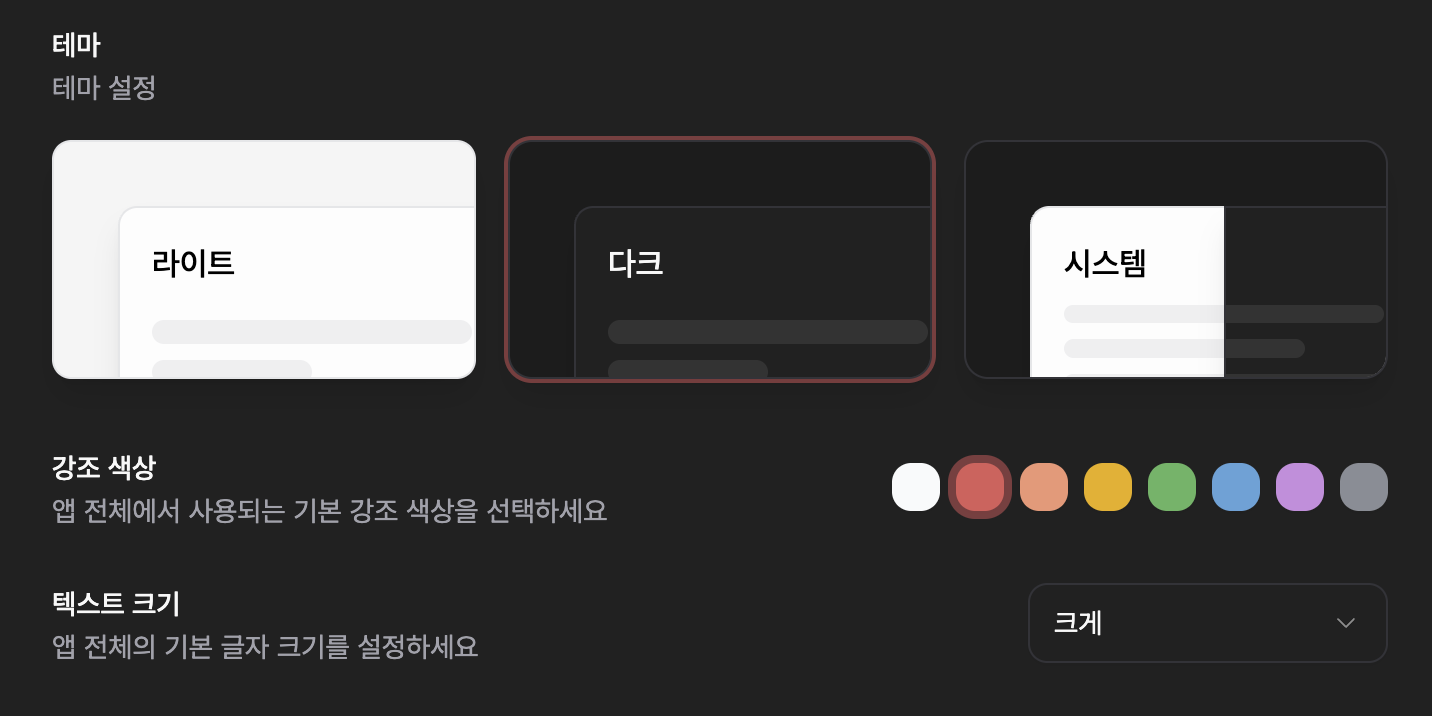
  • Theme-based app icon: The app icon automatically changes based on dark/light theme, improving visual consistency.

  • Document title improvements: Window titles now more accurately reflect the current project and file name, making it easier to distinguish between multiple windows.
  • Enhanced automatic backups: Backups work regardless of server synchronization status, and you can more clearly see when backups occur, making recovery easier.
  • Improved recovery stability: Enhanced restore behavior when items are not on the server, reducing the risk of data loss during trash recovery and project restoration.
  • Deletion management improvements: Added deletion-related metadata to increase recovery possibilities, and strengthened validation logic in the project deletion dialog to prevent accidental deletions.
  • Resource loading flexibility: Expanded loading methods for fonts and attached resources, making them display more reliably across various environments.

  • While local-only mode is enabled, changes will not be sent to the server. To synchronize with the server, disable the mode and then trigger manual synchronization.
  • We recommend regularly exporting important changes as backup files and storing them externally.

November 24, 2025

1.0.0 - desktop

This update focuses on making the experience of leaving thoughts, viewing documents, and understanding the process of change even clearer. You can capture ideas that come up during work, read project structure more naturally, and intuitively check previous records.


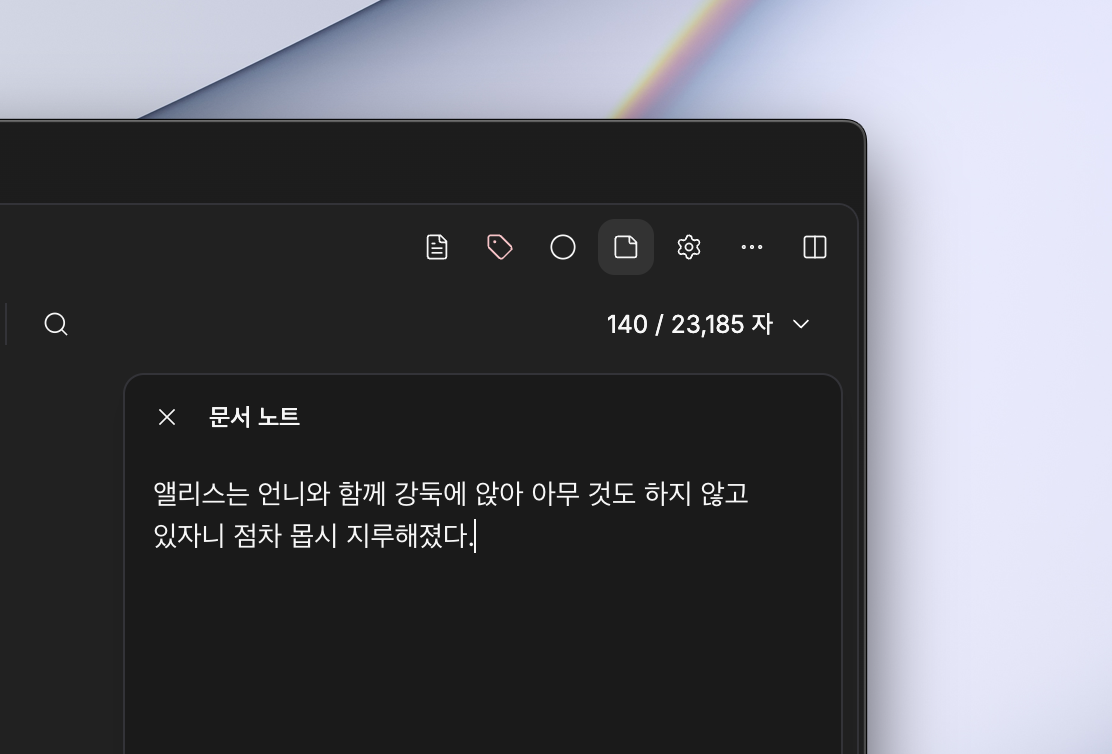
📝 File Notes

File Notes

File Notes

You can now leave individual notes for each file, allowing you to store thoughts beyond the document itself. Keep ideas, revision directions, and reference materials in context.

  • Manage notes on a per-file basis
  • Space optimized for quick recording
  • Never lose track of work context

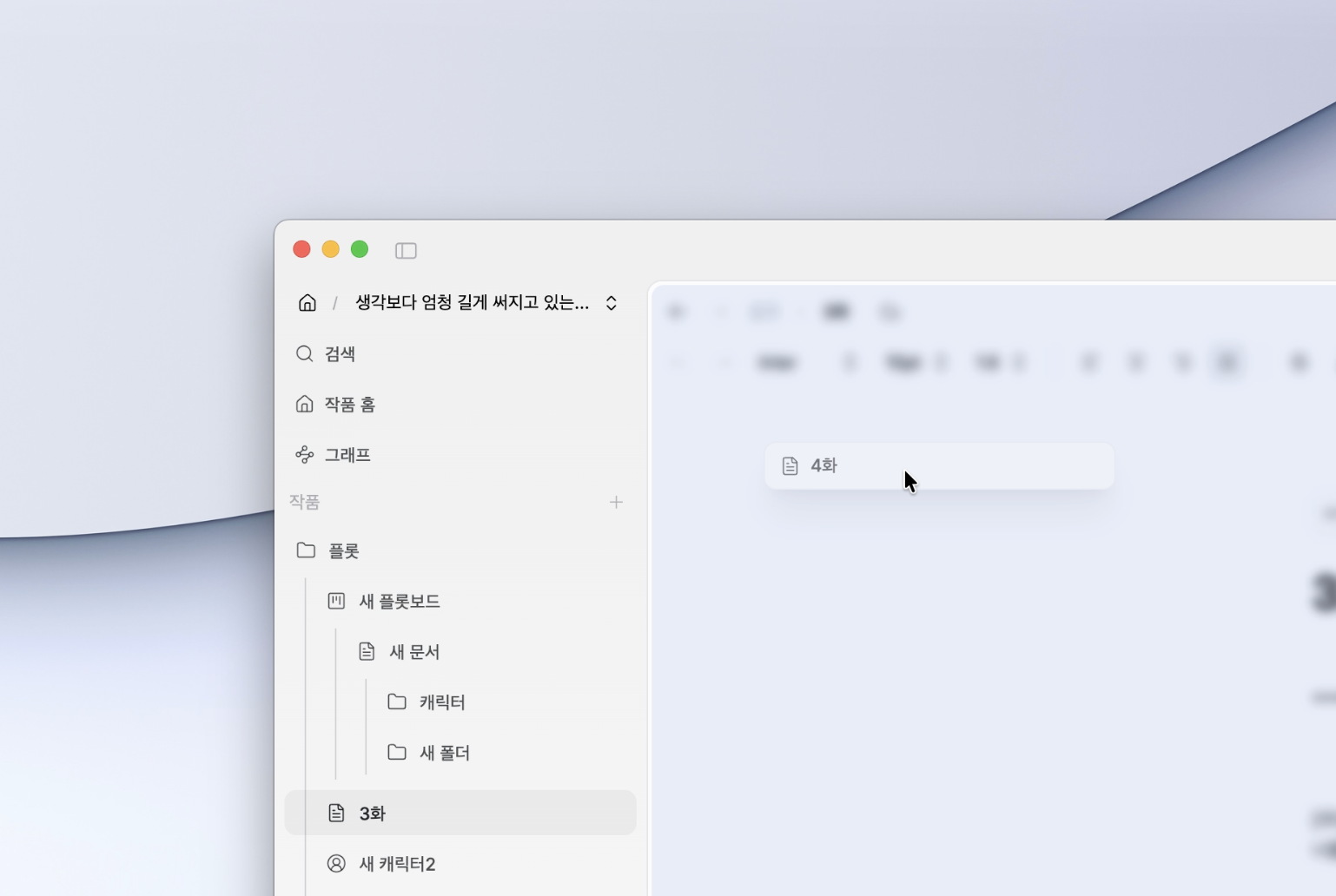
📁 Folder View Mode Improvements

Folder View

Folder View

The existing folder view has been expanded to include Plotboard, Docs, and Character files. You can now directly manage more sub-elements within a single flow.

  • Organize and manage structure like folders
  • Connect Plotboard and Character files
  • Understand work structure at a glance

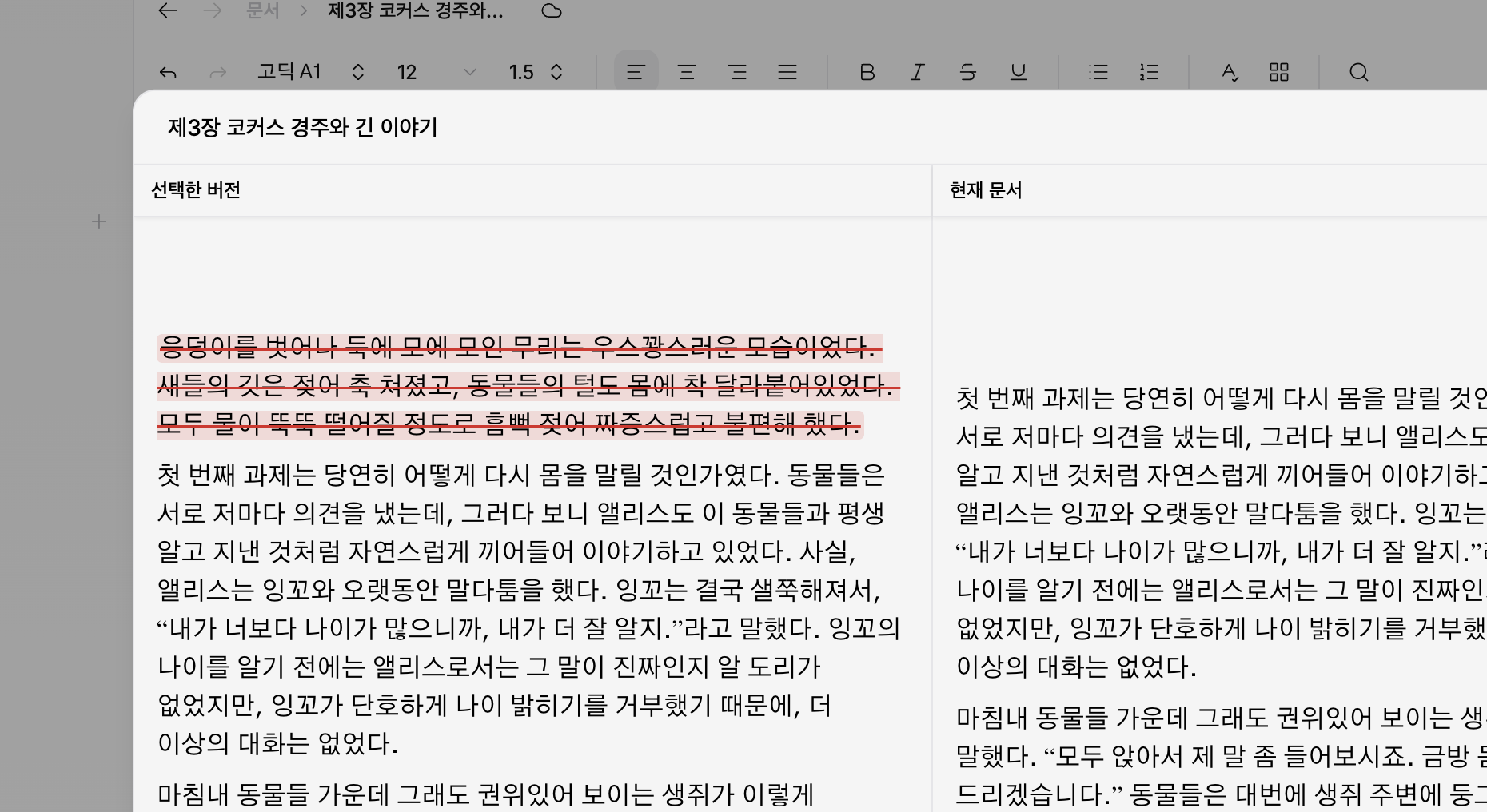
🕓 Document History Comparison

History Comparison

History Comparison

A view has been added that allows you to compare past versions with the current document at a glance. You can more easily understand what and how things have changed.

  • Quickly check what has changed
  • Easy to revert to previous state
  • Workflow becomes clearer

  • Default font size and line spacing can be saved as personal settings
  • Overall layout balance and visual stability have been improved
  • Window transitions and notification behavior have become smoother

  • Some view settings may be reset after the update
  • When using the history feature for the first time, synchronization time may be required

November 18, 2025

1.0.0 - desktop
Split Preview Drag

Split Preview Drag

This update significantly enhances the usability of the project sidebar and
refines the overall UI behavior centered around the new Split Preview Drag feature.


  • Split Preview Drag (Split Preview Overlay) Added
    • Introduced a draggable overlay that allows intuitive splitting of both areas when selecting documents
    • Useful for quickly comparing documents while exploring the project structure

  • Enhanced Offline Work and Sync Stability

    • Improved exception handling during offline work
    • Enhanced recovery logic when synchronization fails
  • Project Sidebar Functionality Enhancements

    • Improved multi-selection responsiveness
    • Keyboard shortcuts refactoring
    • Added collapse/expand root items shortcut
    • New shortcuts for project management and localization updates
    • Interface simplification by removing some commands
  • UI and Style Improvements

    • Border color adjustments
    • Overall style cleanup and Command Palette UI updates
    • Changelog API and UI style/localization improvements

  • Unified 'pensiv' notation across documents/settings/logs
  • Overall sidebar UI refactoring and performance improvements

November 16, 2025

1.0.0 - desktop

Official Release v1.0.0 🚀

Pensiv has finally launched as official version v1.0.0!
This release is a comprehensive update that reorganizes the entire product around three core changes.

Based on feedback collected during the beta phase, we've comprehensively enhanced stability, data processing, and document editing experience. The overall workflow, from project loading to saving and switching, has become much smoother.

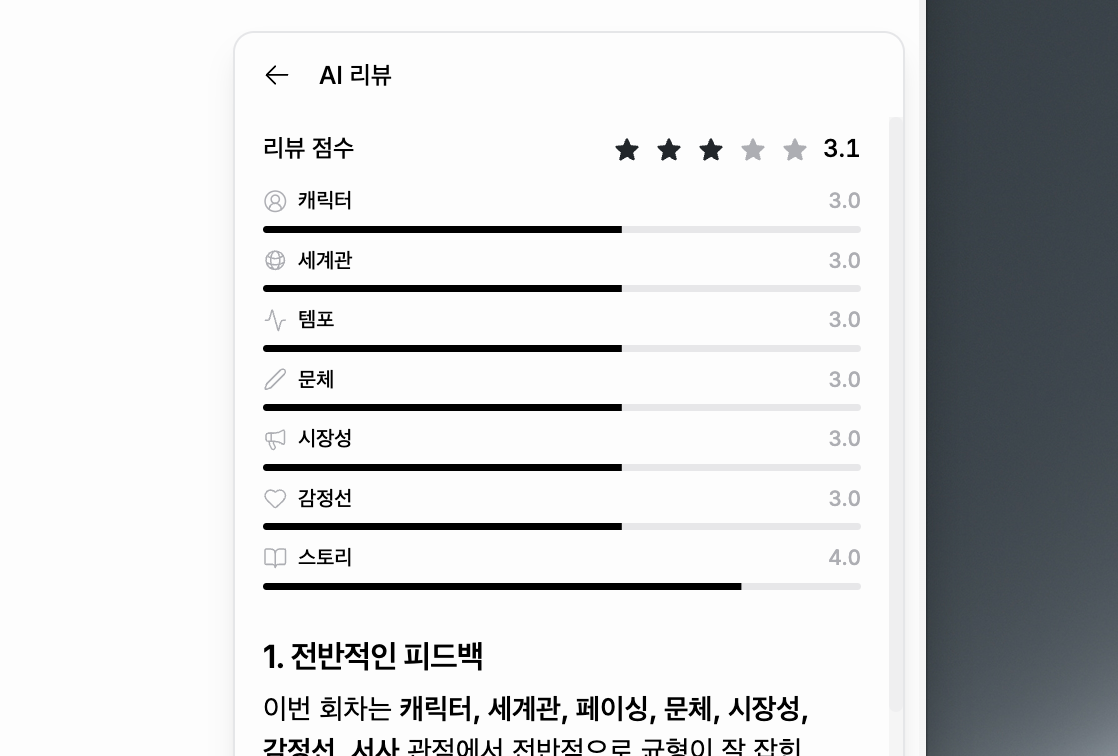
1. AI Review Feature Introduction

AI Review

AI Review

The AI Review feature, which analyzes your work and provides feedback from structural and literary perspectives,
has been newly included.
With real-time streaming reviews, review history, and citation-based analysis,
a professional review environment is now available in the official version.


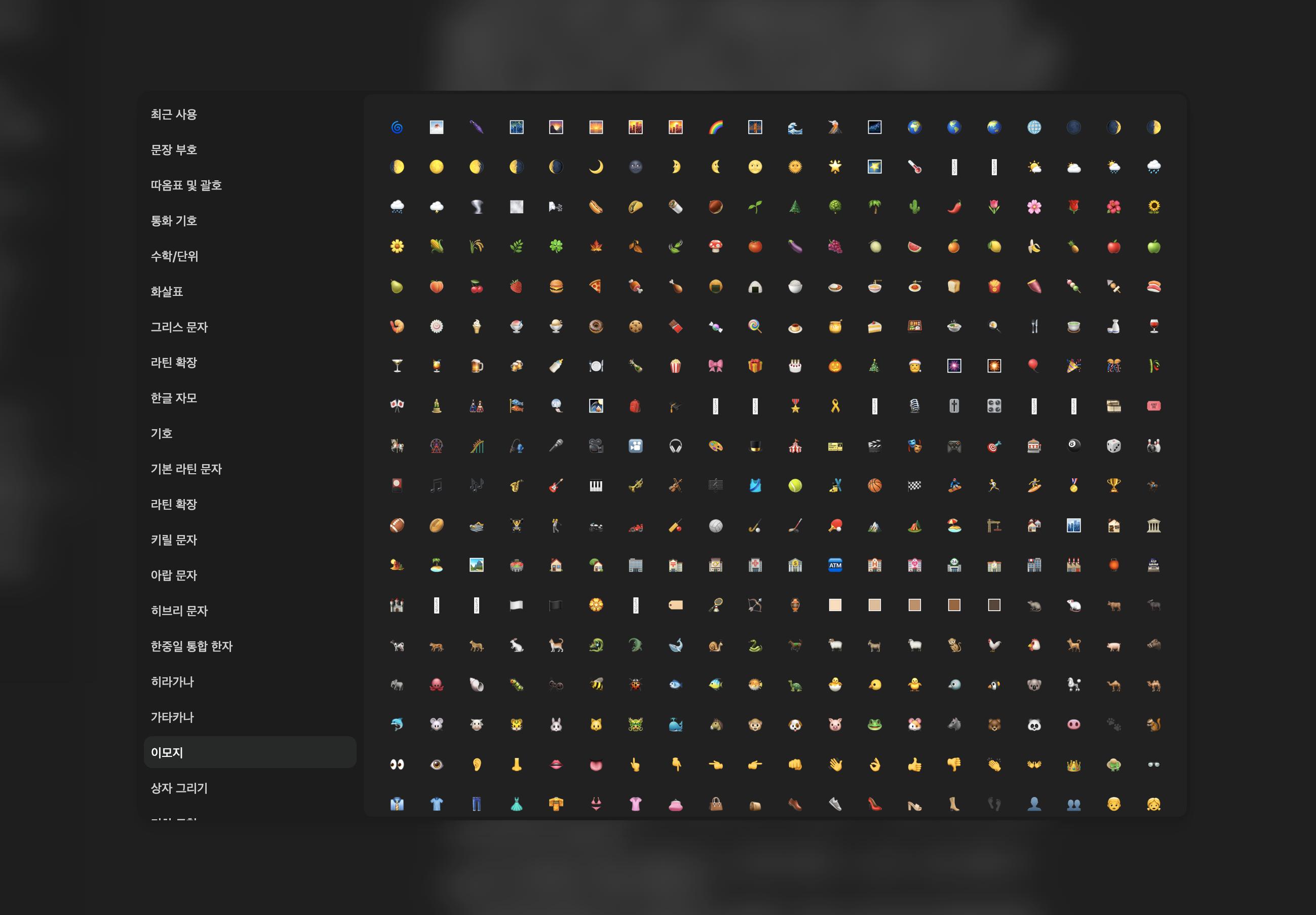
2. Special Characters & Zoom Features + UI Overhaul

Special Characters

Special Characters

The following features have been added to improve the document writing workflow:

  • Special Characters (Character Map) insertion feature
  • Full editor zoom in/out functionality
  • Complete restructuring of Home/Project/Editor UI

The entire interface is now more clearly and consistently organized.


  • Improved sidebar drag and drop responsiveness
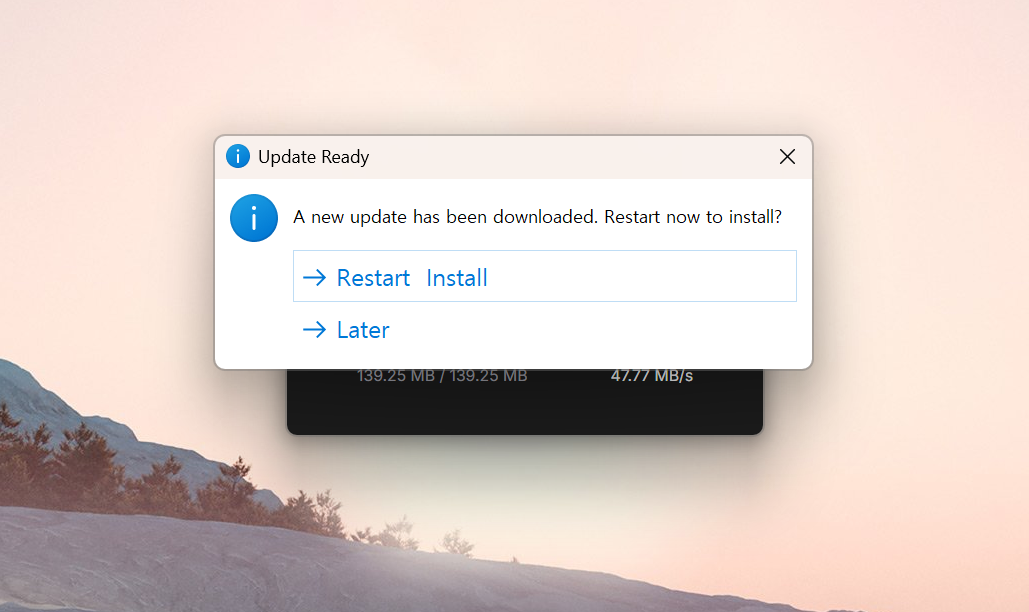
  • Added soft update notification toast
  • Improved Undo/Redo (Ctrl+Z) stability
  • Performance improvements for AI Review and SpellCheck side panels
  • Stabilized focus mode event handling and selection
  • Enhanced PWA update flow
  • Re-adjusted styles for major components
  • Expanded multilingual (Korean/English) localization

November 12, 2025

0.3.2 - desktop
Offline Mode Beta

Offline Mode Beta

This update introduces Offline Mode functionality.

You can now continue working in Pensiv even without an internet connection. All changes are saved locally and automatically synchronized when the connection is restored.


  • Offline Mode Support: All features available without internet connection
  • Local Auto-save: All changes are immediately saved to local storage
  • Automatic Sync: Automatically synchronizes with server when internet connection is restored
  • Offline Work Tracking: Tracks items modified offline for synchronization upon reconnection
  • LWW (Last Write Wins) Conflict Resolution: Automatic conflict resolution based on timestamps
  • Offline Mode Entry Warning: Beta feature and important notices on first use
  • Pending Sync Display: Real-time display of number of items modified offline

  • Optimistic Updates: Immediate UI response even in offline state
  • Local Database Utilization: Stable local storage through IndexedDB
  • Automatic Reconnection Detection: Automatically starts synchronization when network is restored
  • Sync Status Display: Clear indication of current synchronization status
  • Offline Work Protection: Ensures work done offline is not lost

  • Beta Feature: Offline mode is currently in beta
  • LWW Logic: The most recent changes take priority when reconnecting
  • Multi-device Caution: When editing offline on multiple devices simultaneously, only the last saved version is maintained
  • Concurrent Editing Recommendation: To prevent data loss, we recommend avoiding simultaneous offline editing on multiple devices

November 5, 2025

0.3.2 - desktop

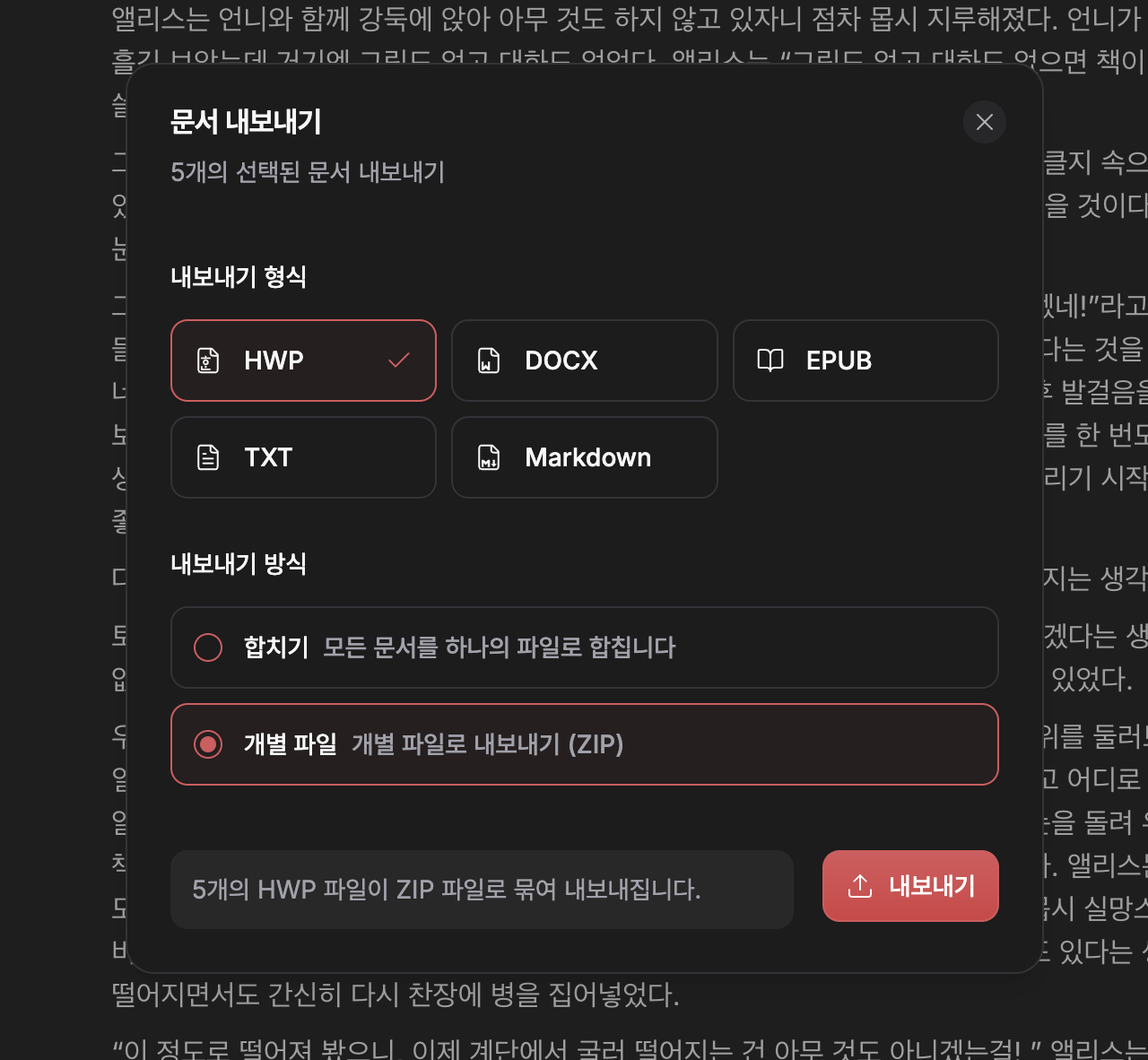
This update introduces the Import Feature. You can now seamlessly bring in manuscripts or documents you've already written into Pensiv. Your work should be able to continue from anywhere.

Pensiv is a place where new stories begin, but it should also be a place where you can bring in the worlds you've already been writing. This import feature is the first step toward that connection.

  • File import feature added
  • You can import the following file formats into Pensiv:
    • HWP
    • DOCX
    • EPUB
    • TXT
    • Markdown (.md)
  • Converts while preserving document structure, line breaks, paragraph spacing, etc. as much as possible

  • Progress status and guidance messages during import process
  • Clear feedback on errors that may occur during file processing
  • UX improvements to immediately view and edit converted documents in the editor

November 4, 2025

0.3.2 - desktop

  • Shortcut settings feature added
  • Global keyboard shortcuts implementation (settings and application control)
  • macOS shared menu feature added

  • Updated keyboard shortcuts for search functionality
  • Enhanced keyboard shortcut management system
  • Improved UI tooltips
  • Updated shortcut key for settings dialog in command palette
  • Refactored keyboard shortcut handling logic
  • Code cleanup and improved readability

November 3, 2025

0.3.1 - desktop

The core of this update is the Spell Checker.

Currently a Korean-only beta feature that automatically detects spelling errors in text and provides correction suggestions.

  • Spell Checker (Korean-only beta)
  • 'My Dictionary' feature added

  • Improved plot card drag UX
  • Updated plot board UI
  • Improved scroll state persistence across views
  • Partial home screen design updates

October 29, 2025

0.3.1 - desktop

  • Windows environment UI improvements
  • Onboarding design updates
  • Bullet point fixes
  • Font logic improvements

  • Enhanced Content Security Policy (CSP)
  • Stabilized hide and exit flows
  • Other stabilization work and bug fixes

October 28, 2025

0.3.0 - desktop

  • Project interaction tour added
  • Profile card download added

  • Separated client window hide & close actions
  • Updated client content security policy

October 27, 2025

0.3.0 - desktop

  • Personal profile card added

  • Onboarding flow UI changes
  • Work creation UI changes

October 26, 2025

0.3.0 - desktop

  • Fixed tag input field deletion bug

  • Updated folder view child file UI
  • Changed shortcuts for global search (Ctrl+Shift+F) and document search (Ctrl+F)
  • Added relationship graph option settings and excluded folder relationships
  • Improved plot card drag UX
  • Improved plot part card edit UX

October 24, 2025

0.3.0 - desktop

  • Fixed labelId conversion issue in document files
  • Fixed image disappearing on click issue
  • Fixed Korean export issue

  • Improved plot part card drag and relationship setting UX
  • Updated sidebar file list design
  • Fixed indentation logic